Guided lessons. The app listens through the mic while you play.
Scroll
Handpan Constellation Studio · the app for handpan players
Play a song tonight, on your handpan.
Play a few notes into the mic and the app recognises your scale and shows you its chords in colour. Then come the songs your handpan can play, with the lyrics in front of you.
Create my free account
Free forever, no card needed. On a computer or tablet, in your browser.
74 handpan models and 541 makers on record: yours is probably already in there.
The piano has sheet music.
The guitar has tab.
The handpan had numbers and letters.
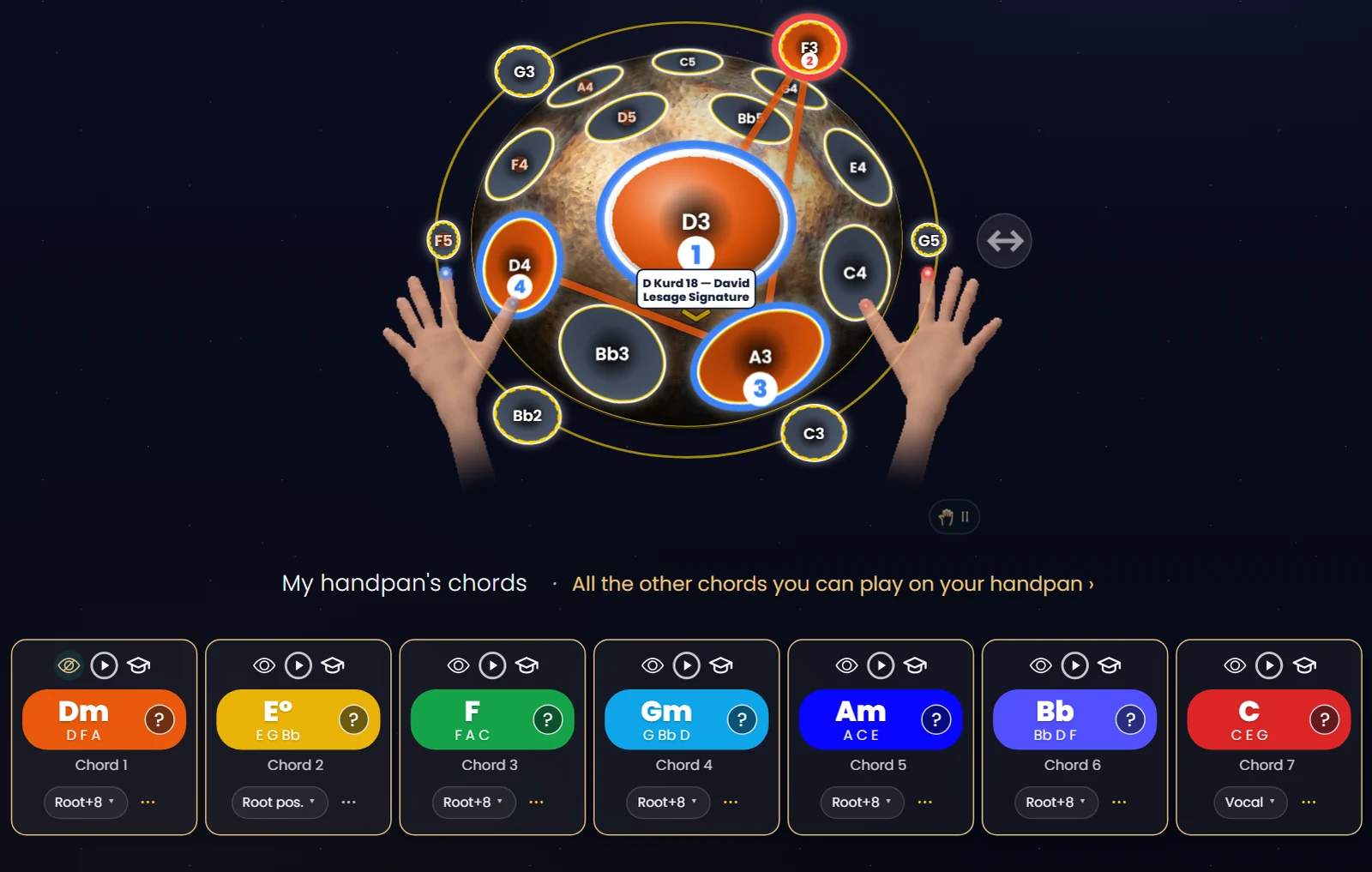
Now it has seven colours, and chords that take shape like constellations.
Three steps
From your instrument to your first song.
1
Play a few notes into the mic.
Don’t know what your scale is called? It doesn’t matter. The app listens, recognises it and finds your instrument.
2
Watch it light up.
Each degree of the scale gets its own colour and each chord its own shape: the seven chords your handpan can play, and the emotion each one carries.
3
Play tonight.
The catalogue songs your handpan can play are already there. Got another in mind? Paste its chords and lyrics, or drop in the file, and the app shows it on your own handpan.
All of this is free.
No card, no time limit, on your own handpan.
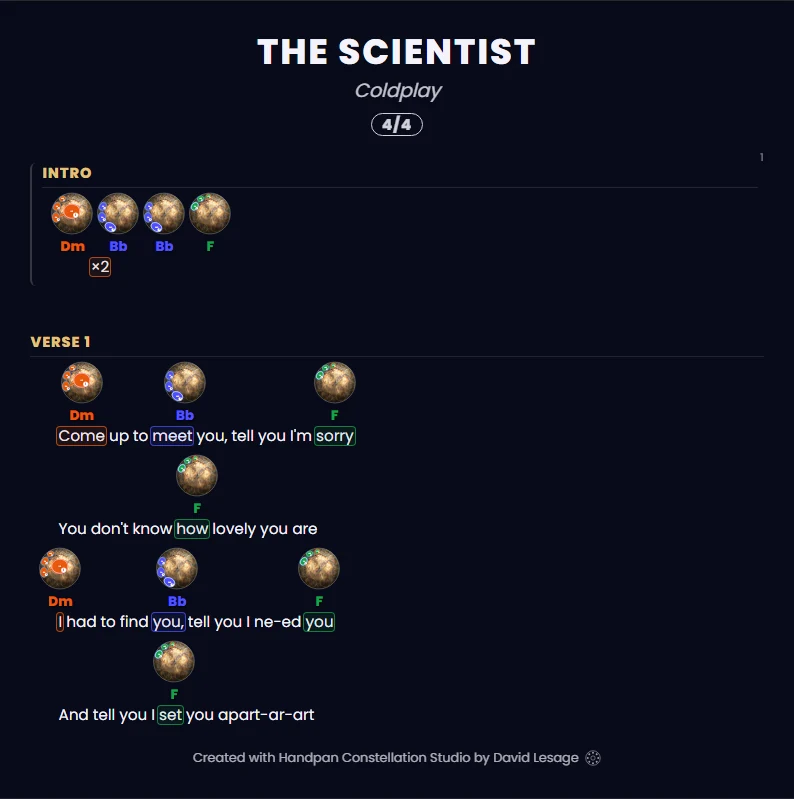
See it on a real song
The chords above the lyrics, drawn on your handpan.
Like a guitar chord chart, except you’re not reading chord names: you follow shapes and colours. When red comes round again, you’re home. Blue is the tension that pulls you back.
The lyrics in front of you, the chords above them, all in your scale: you play and you sing. Tonight.
On a D Kurd 18, 157 songs in the catalogue can be played just as they are.
Create my account and see my songs
Free forever, no card needed.
Sing
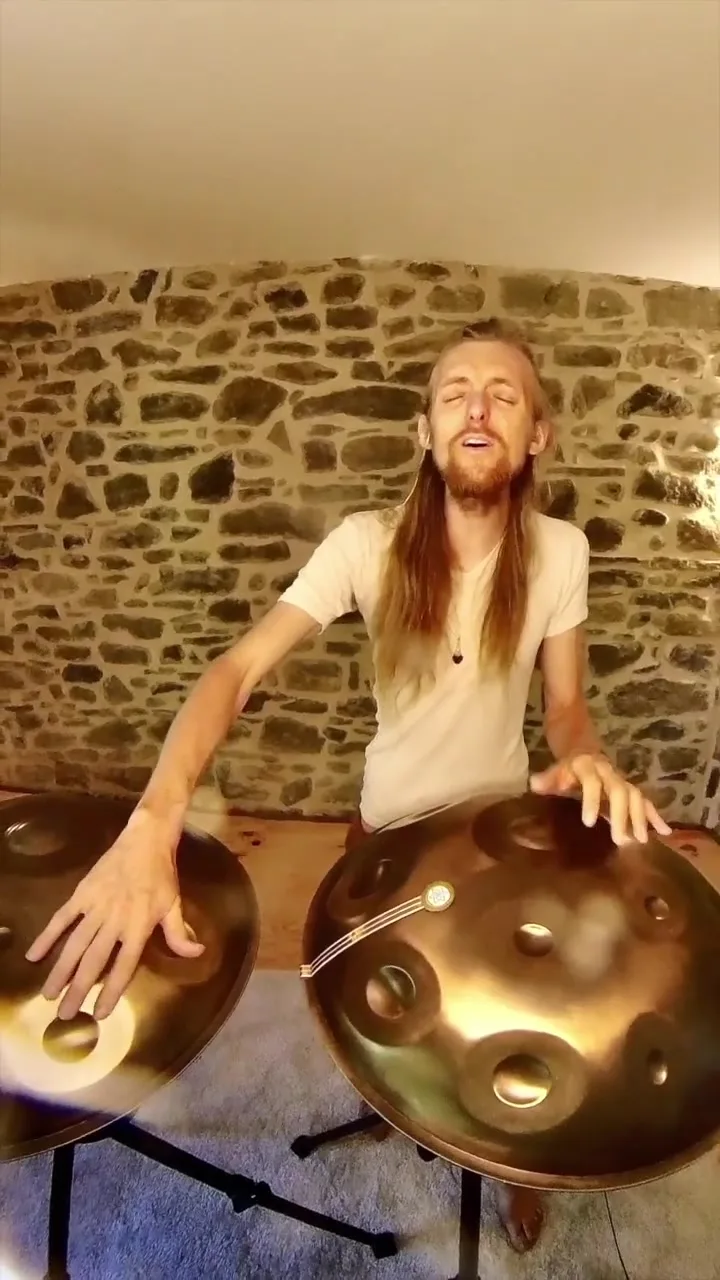
An app created by a singer who accompanies himself on the handpan.
A handpan can carry a voice, just as a guitar or a piano can. Start with your voice.
Your vocal range, measuredThe handpan made for your voiceA guide note and a drone
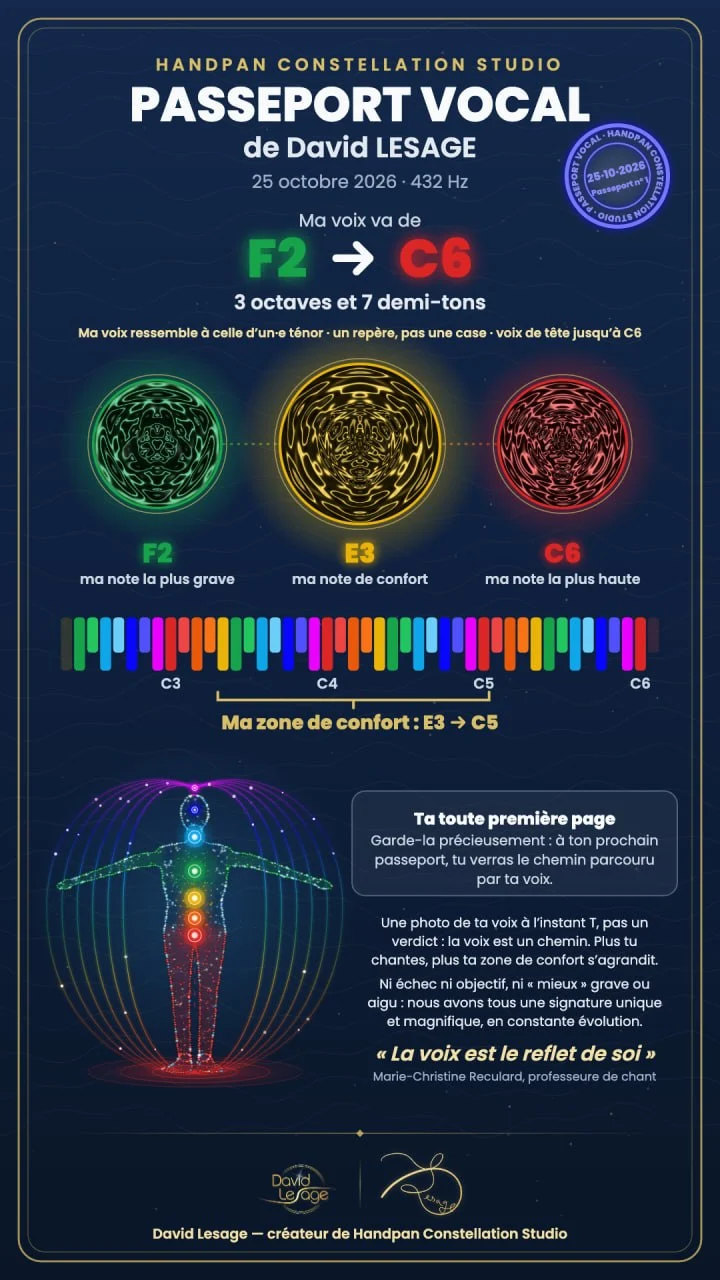
The voice passport
Which handpan is made for your voice?
Sing a few notes and the app finds the limits of your voice, your comfort zone, and the handpan key that suits it.
One passport per person: the whole family can have their own, and a teacher can create them for their students.

Practise
The app plays along with you, every day.
Everything you need to practise is in the free account.
A conveyor belt carries the chord progressions past you, at your pace.
A metronome, and the app tells you if you’re ahead of the beat or behind it.
Your own practice time, and your progress, day by day.
The language
Read music without decoding it.
Instead of note names, the app shows you the structure of the music: colours and shapes.
Seven colours, and you choose what they say.
ChromaKeys, the app’s colour piano, paints your handpan. The colour tells you either the note itself or its place in the scale.
The colour says…
Notes are written…
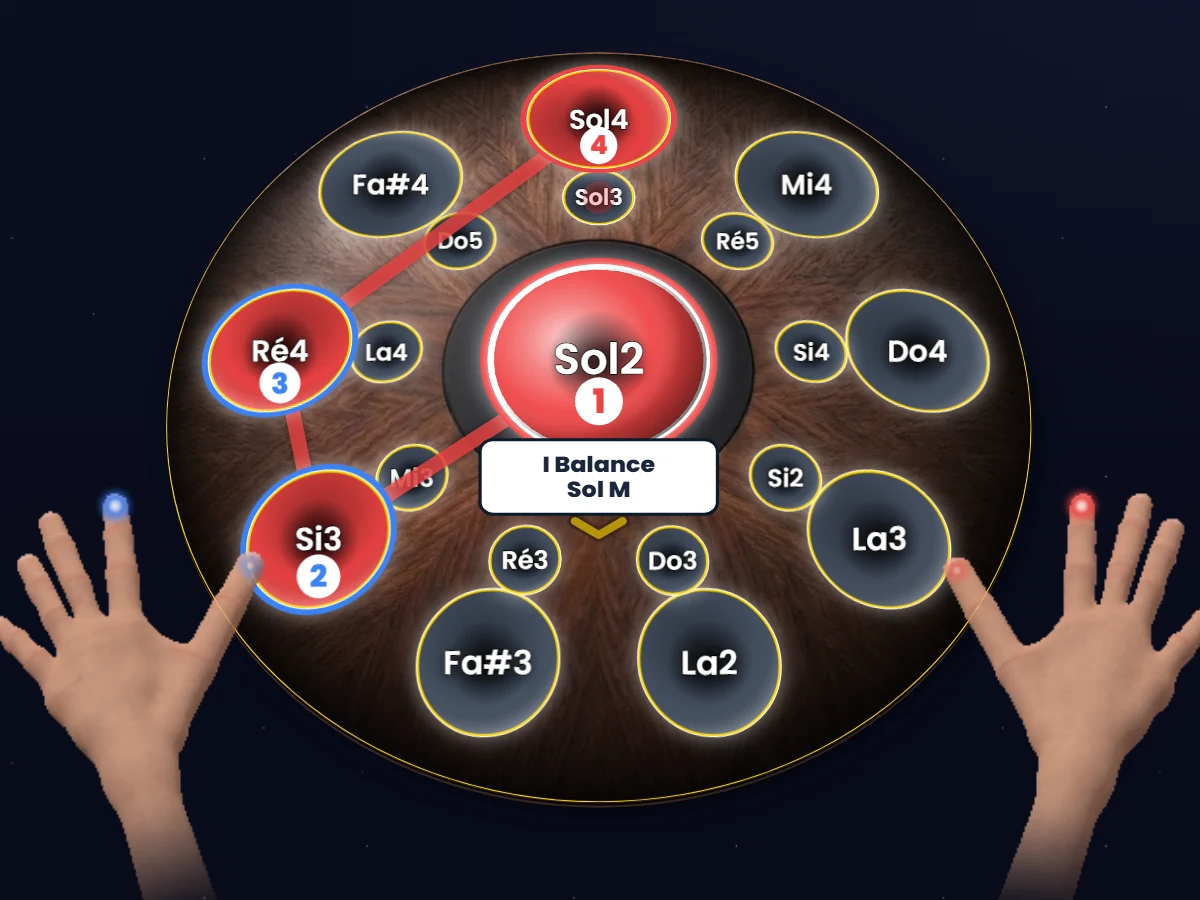
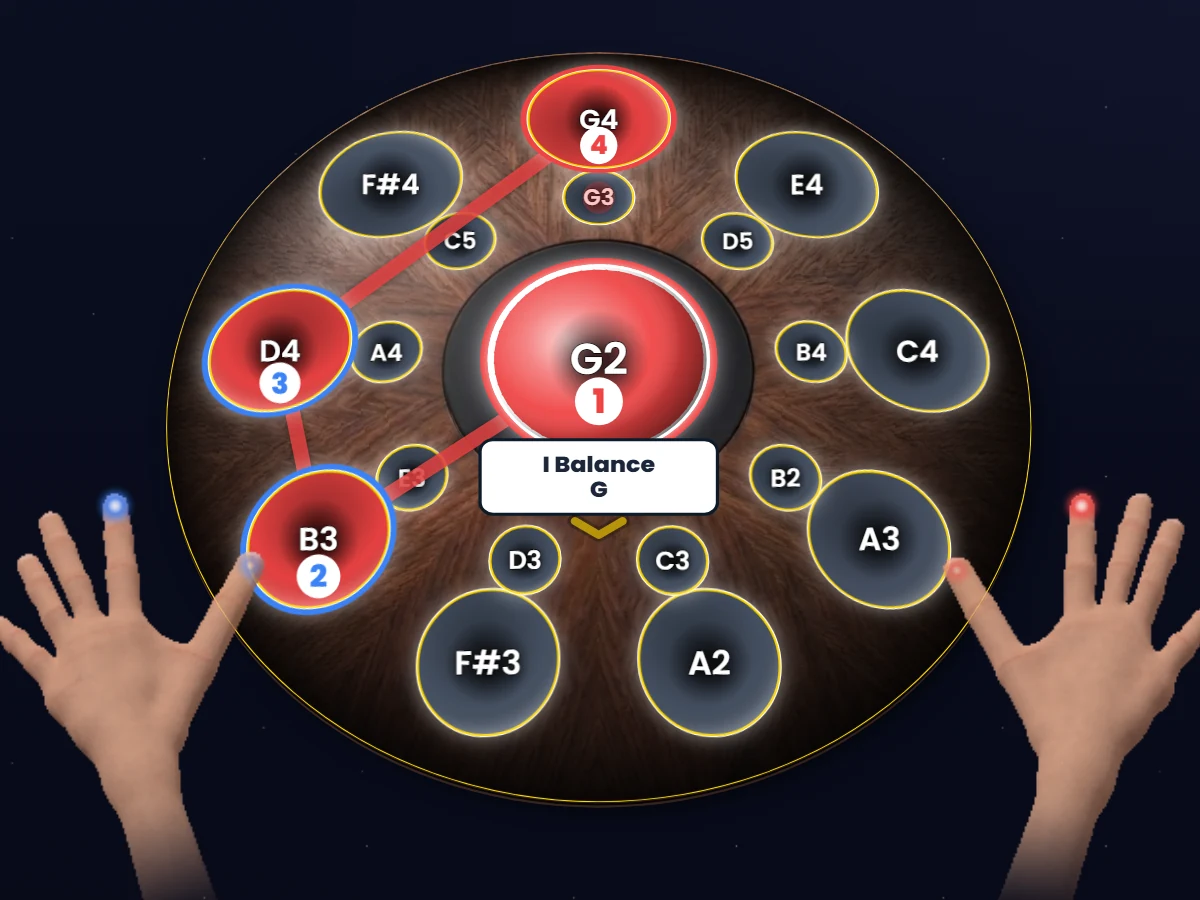
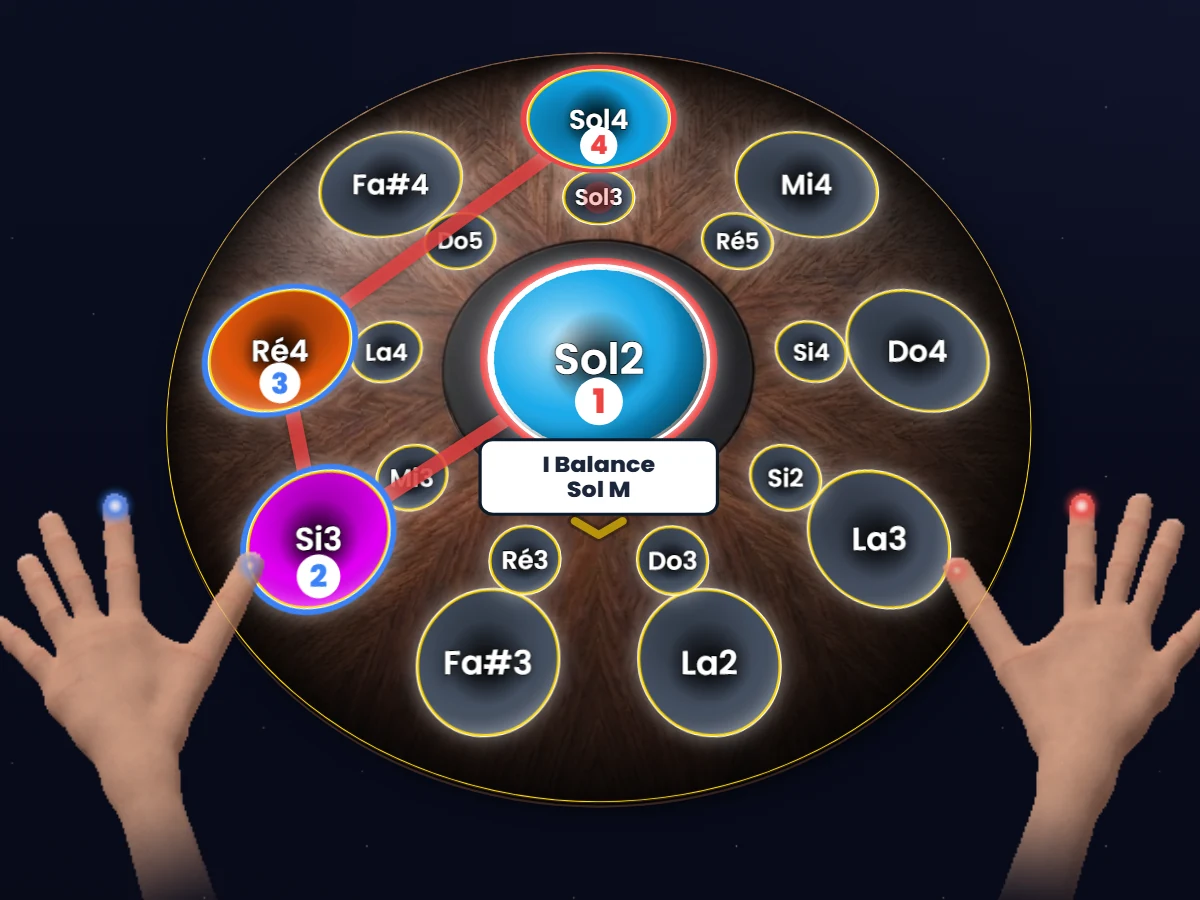
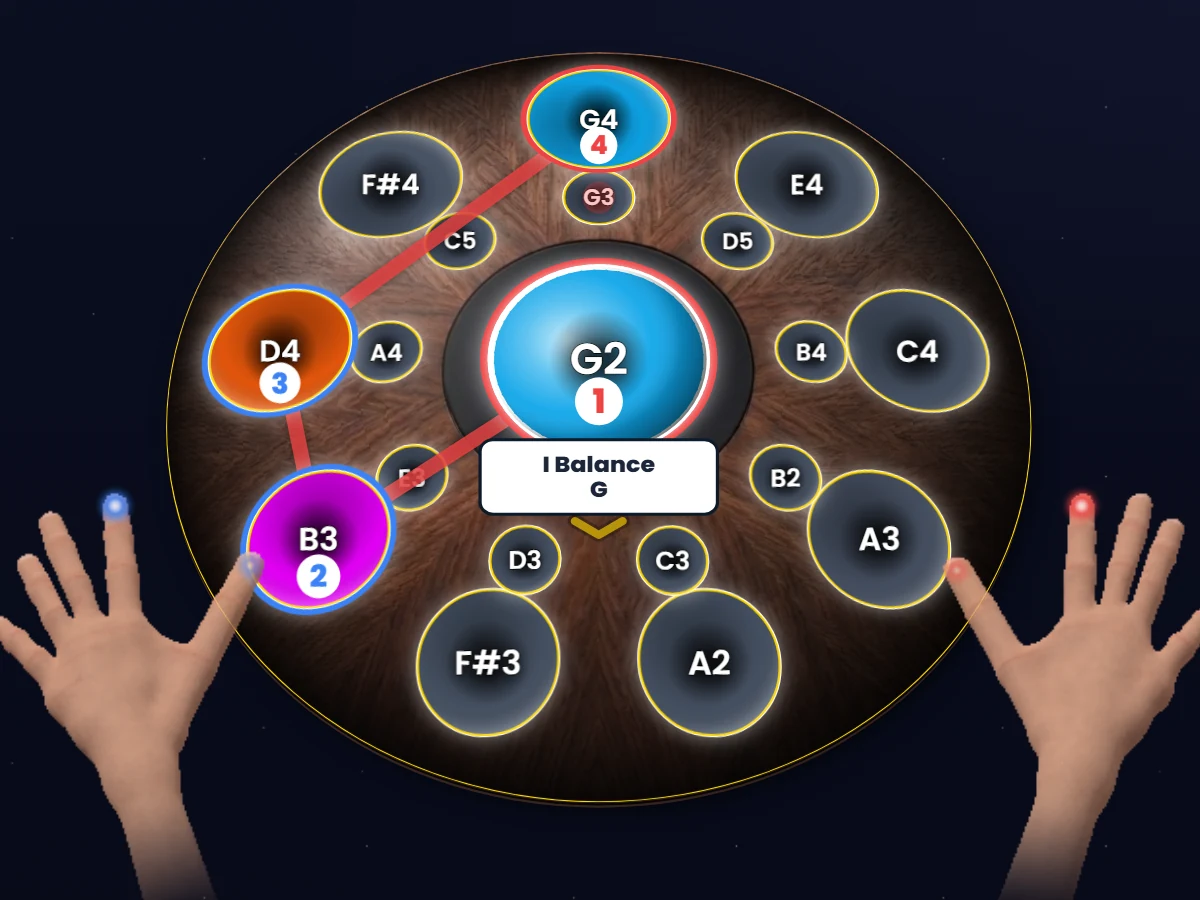
The first degree is always red, whatever the key, and the chord’s shape doesn’t move: it’s like a capo on a guitar.
Each note keeps its chakra colour, whatever the scale: Do is always red, Sol sky blue. A chord then becomes a mix of colours, one per note.
The language of constellations
The handpan’s new visual tablature.
On top of the colours, the app joins up the notes of a chord and draws a glowing figure, a chord constellation. There are three ways to trace it.
Your handpan…
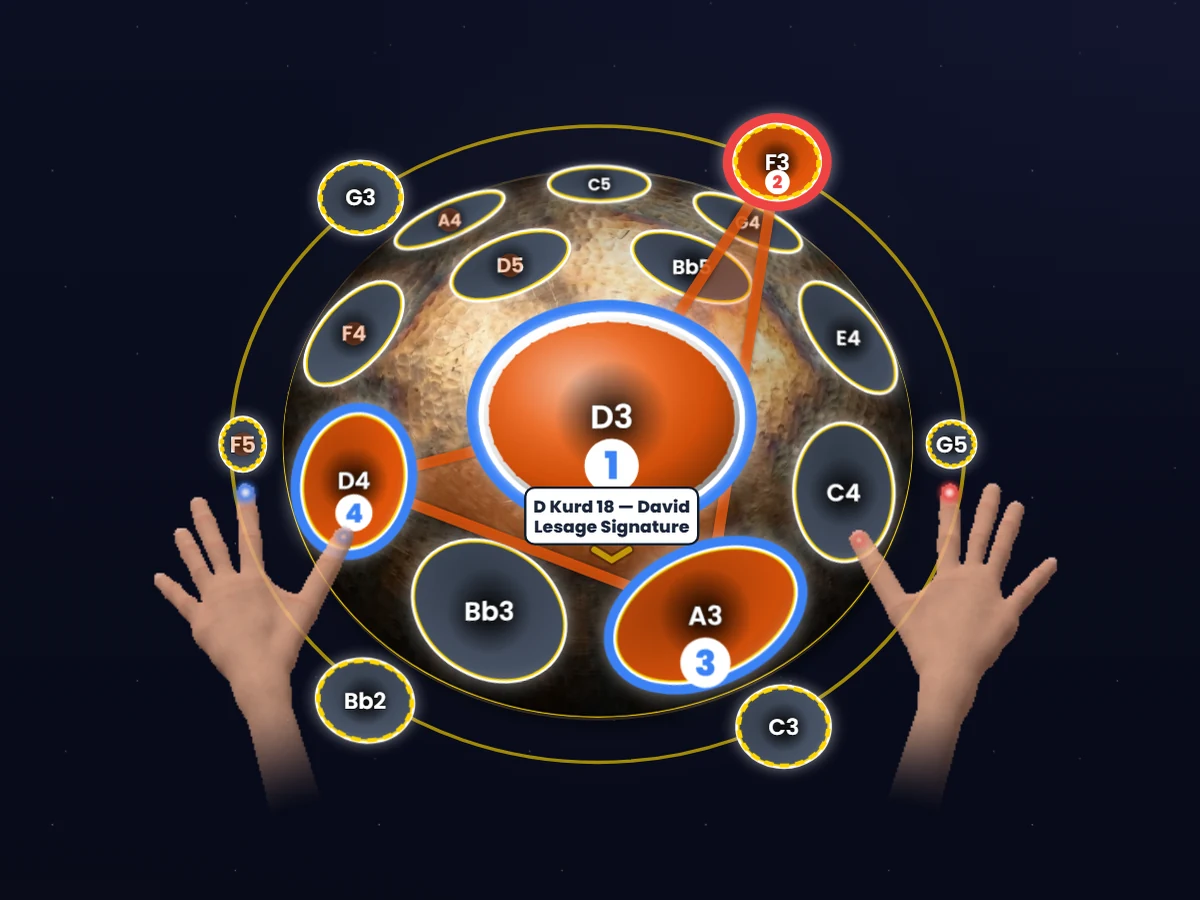
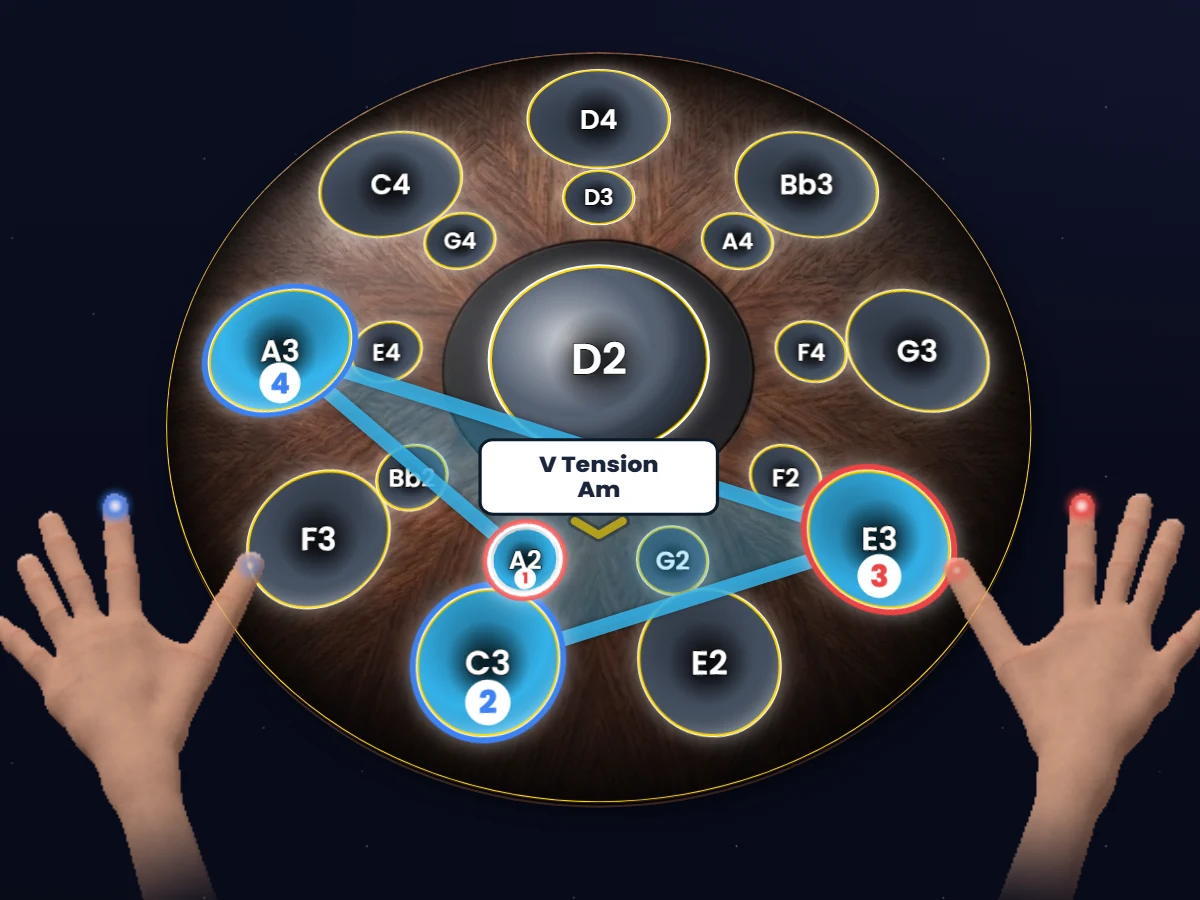
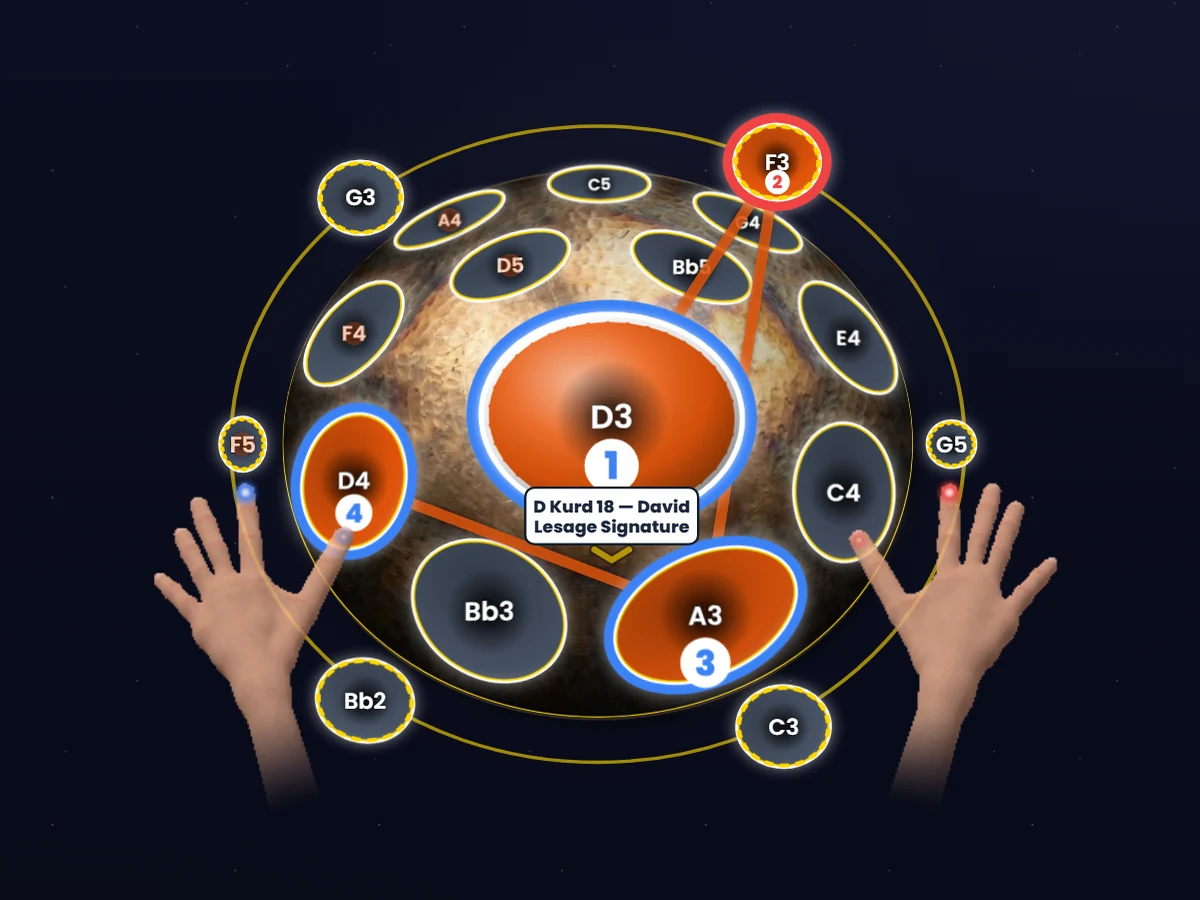
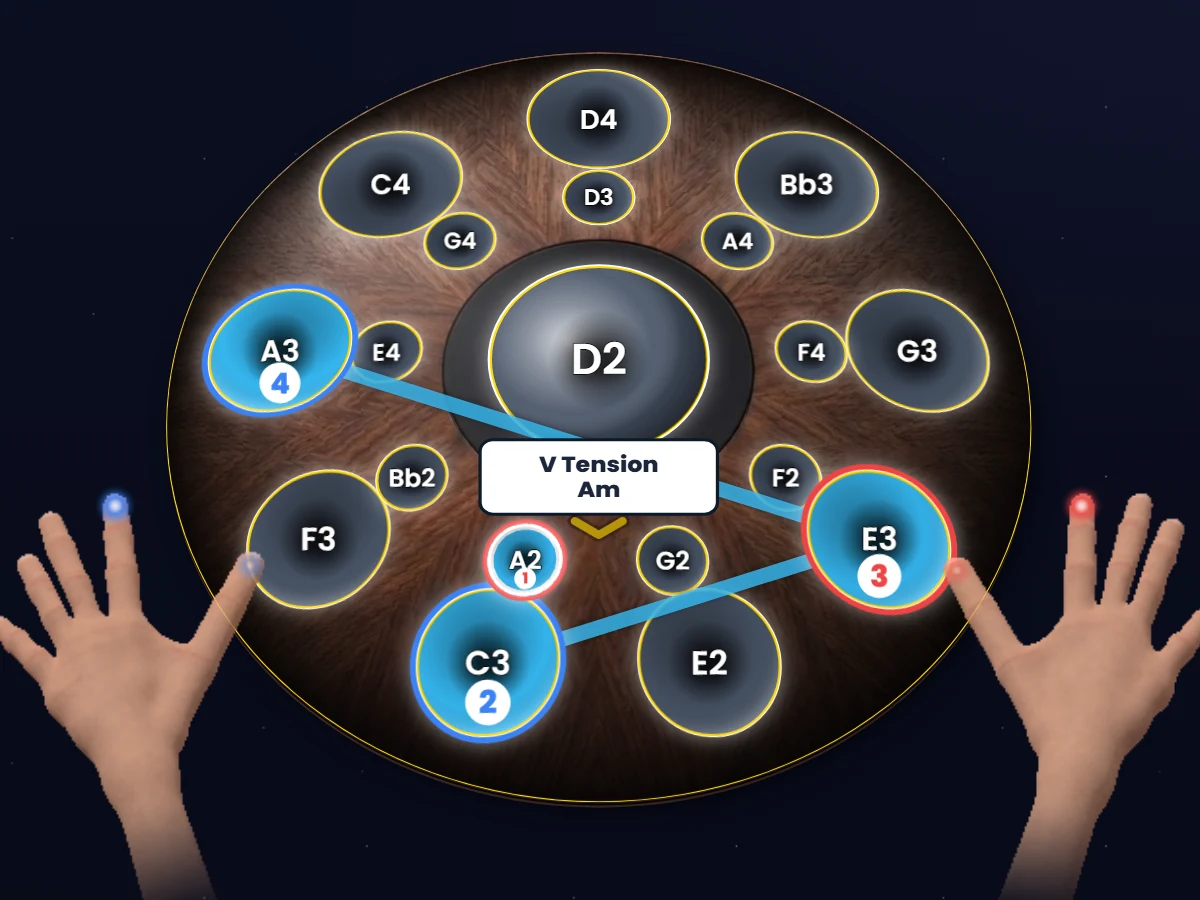
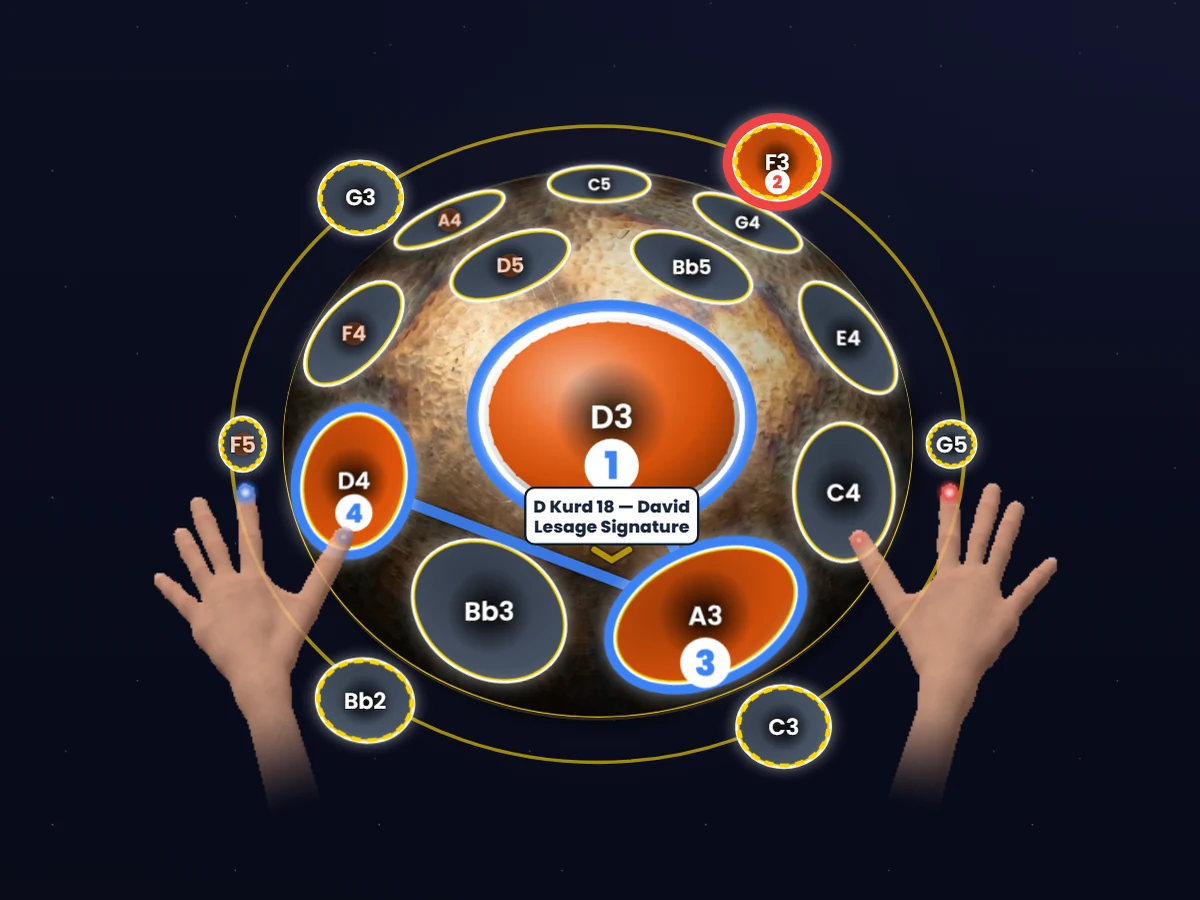
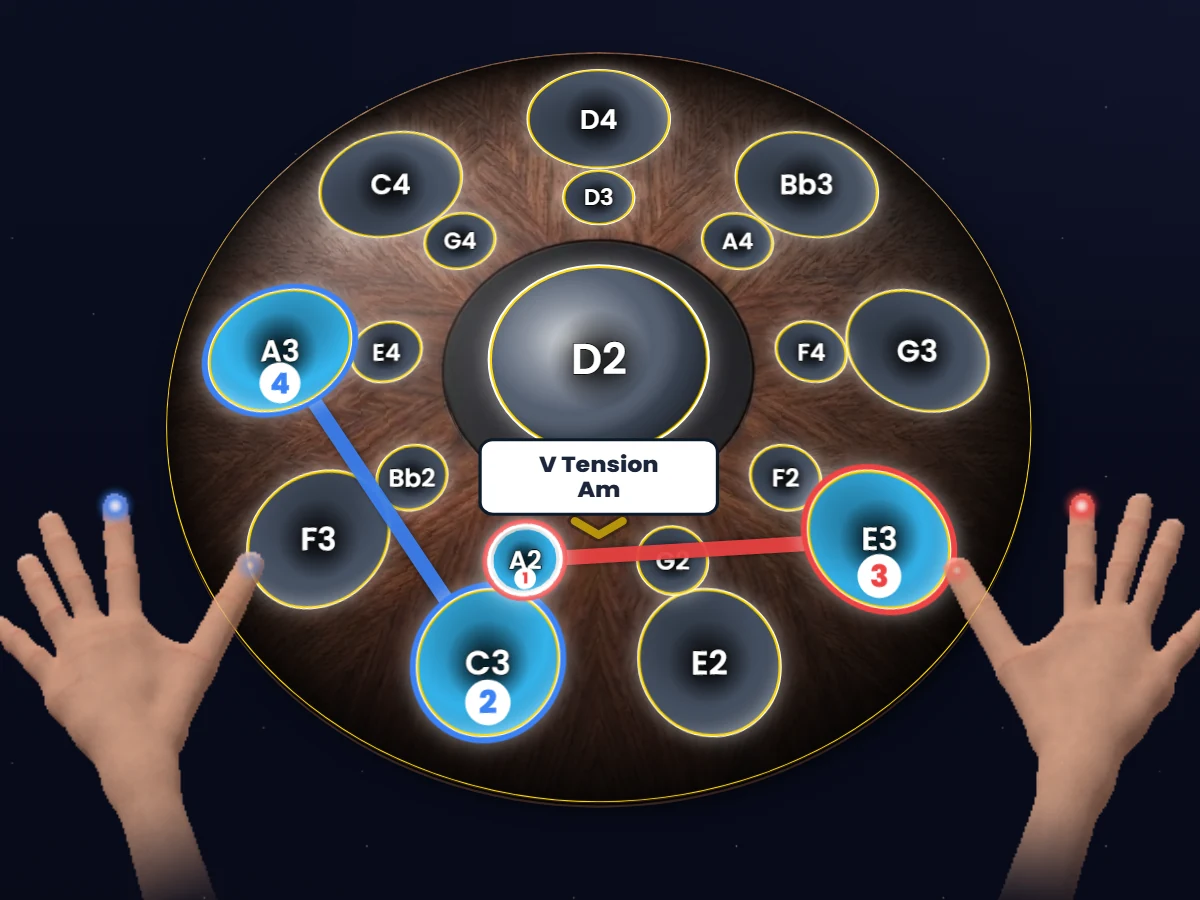
The same chord with all three paths, on an acoustic D Kurd 18 handpan.The same chord, V Tension, with all three paths, on a digital pan.
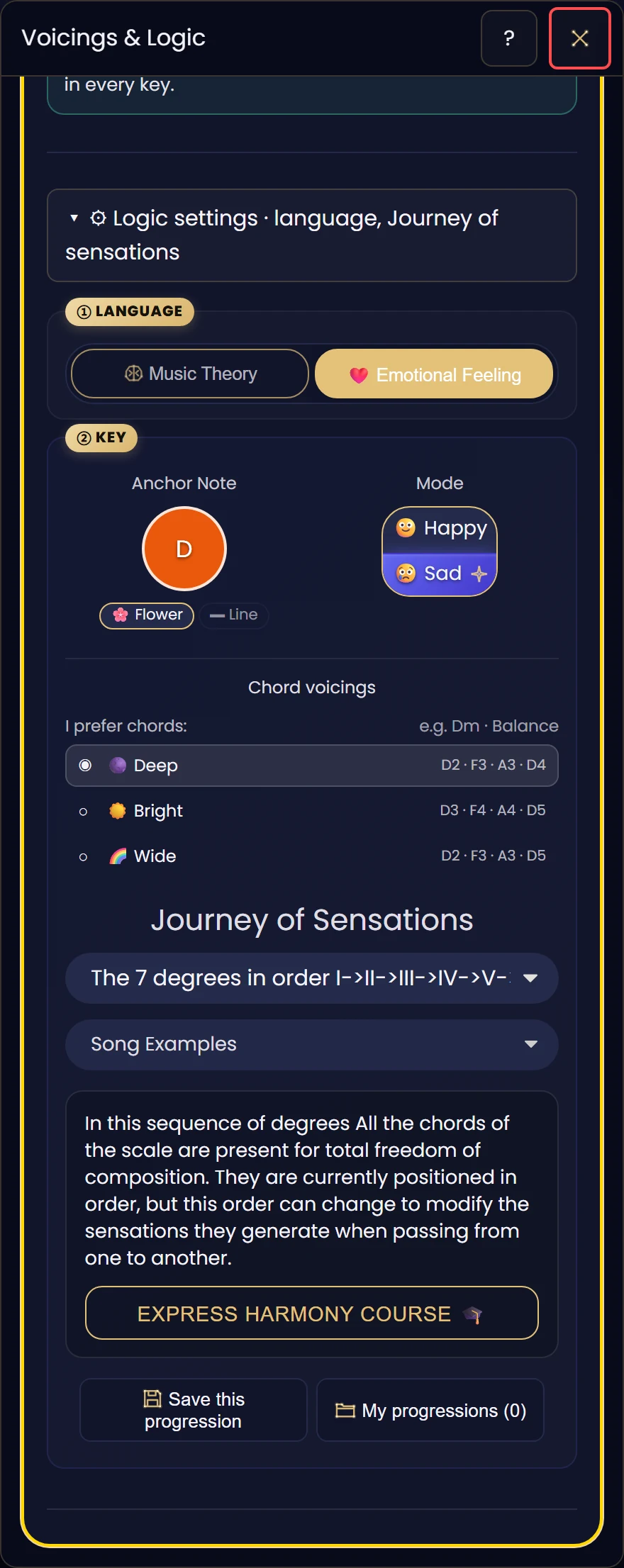
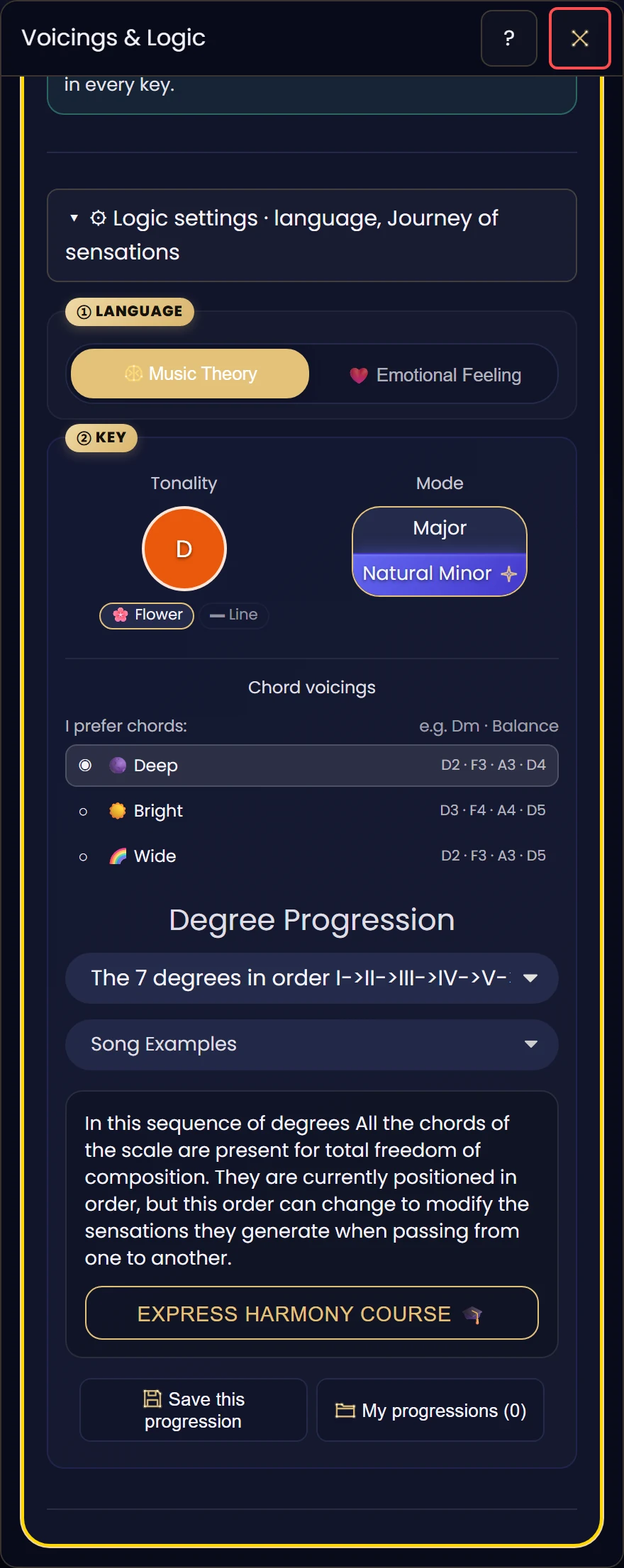
Logic mode
Two languages for the same music.
By feel, a scale is happy or sad, and its sadness can be deep, Eastern or jazzy. You compose a journey of sensations.
In music theory, the same settings go by their proper names: major, natural minor, harmonic, melodic, degree progression.
You start with emotion. When you want music theory, it’s there, in the same place.
You start with no theory. The names come when you ask for them.
Discovery
Colours and numbers, no theory.
Apprentice
The names of notes and chords.
Musician
Everything unlocked: all 7 chords, the 7th and 9th extensions…
What a student says
The interactive tools let you display your own handpan on screen, get immediate feedback on the notes you play […]
“Having already used another app, I can say that this one is by far my favourite, because it is so complete!”
Read her full message
“I took my first steps on the handpan with David and today I’m continuing my learning with Constellations. Having already used another app, I can say that this one is by far my favourite, because it is so complete!
The more I use it, the more I realise how well it lives up to its name. It truly opens up a world of possibilities!
What I particularly appreciate is that it goes well beyond online lessons. The interactive tools let you display your own handpan on screen, get immediate feedback on the notes you play, choose a tempo or play along with a drum accompaniment. You also explore rhythm, singing, the expression of emotions and a multitude of scales. Everything you need to learn, experiment and progress on your own!
The platform also evolves regularly thanks to the ideas and needs of its users, and every improvement benefits everyone.
And then there’s David! A passionate, kind teacher who listens, and who knows how to adapt his teaching to each person. In particular, he offered me different approaches to work on my difficulties with rhythm and supported me in using my electronic handpan with the app.
A platform I recommend without hesitation, both to beginners and to experienced and professional musicians who want to enrich their practice and explore new musical possibilities!”
Marina Fortuna · David’s student, electronic handpan · translated from French
Why this, and not something else?
You can find a single star elsewhere.
Not the constellation.
shows you someone playing their handpan. The app starts with yours.
is written for one scale. The app shows you what yours can play.
guides you for an hour a week. The app is with you the other days, on your instrument.
tunes, keeps time or helps you sing in tune. Here, everything connects around one instrument, yours.
Free, forever
All of this, no card needed.
- Recognise your scale through the mic
- All your instrument’s chords, in colours and constellations
- The songs your handpan can play tonight
- Paste a song’s chords and lyrics, and the app shows it on your handpan
- Find your voice: your vocal range, a guide note, a drone
- Practise: technique, chords, rhythm, your ritual
- Everything you create is saved
- Find out which handpan to choose next
The movement
You don’t just get an app.
You join a constellation.
541makers listed on the map
7languages, and a glossary the players write together
1star in your name, on the players’ map
Always evolving
New features, scales and modes arrive regularly, and they’re included. The app you see today will do more tomorrow.
Your feedback shapes the app
From inside the app, you send your ideas in one click. Every message is read and helps decide what comes next.
A community, not a catalogue
Together, we’re building the tool we all wish we’d had as children.

Why this app
“The tool I wish I’d been given as a child”
I started the drums at 4, and music theory put me off playing, so I learned by ear. At 12, at the piano, I realised my memory wasn’t built to decode abstract notes: it’s visual-motor and spatial. With the handpan I hit the same wall: spaceships with no pilot’s manual. So I drew. From those drawings came the tool I wish I’d been given: music theory made visible, in languages a child can understand.
Questions
What people ask me.
Which device do I need?
A computer or tablet, in your browser. A phone screen is too small to show your handpan and its chords properly. On iPhone and iPad, Apple doesn’t let browsers pick up an instrument connected by USB: to connect a digital pan, open the app in Web MIDI Browser, free on the App Store.
Do I need a digital pan?
No. The app is designed first for your acoustic handpan, whatever it is. If you have a digital pan, you can connect that too.
What’s actually free?
Everything you need to get to know your instrument and play: your scale, your chords, the repertoire, singing to find your voice, playing technique, and saving what you create.
What if I don’t know my scale?
Play it into the mic and the app finds it.
I’ve never learned to read music. Is it for me?
Yes. You start with colours and emotions. Note names and theory come when you ask for them.
Will I be asked for my card details?
No. The free account doesn’t ask for a card, and it stays free with no time limit.
How do I start?
Sign up, put your handpan in front of you and let the app listen to it. It takes care of the rest.
Your handpan is waiting.
It has things to show you.
Create my free account
Free forever, no card needed.